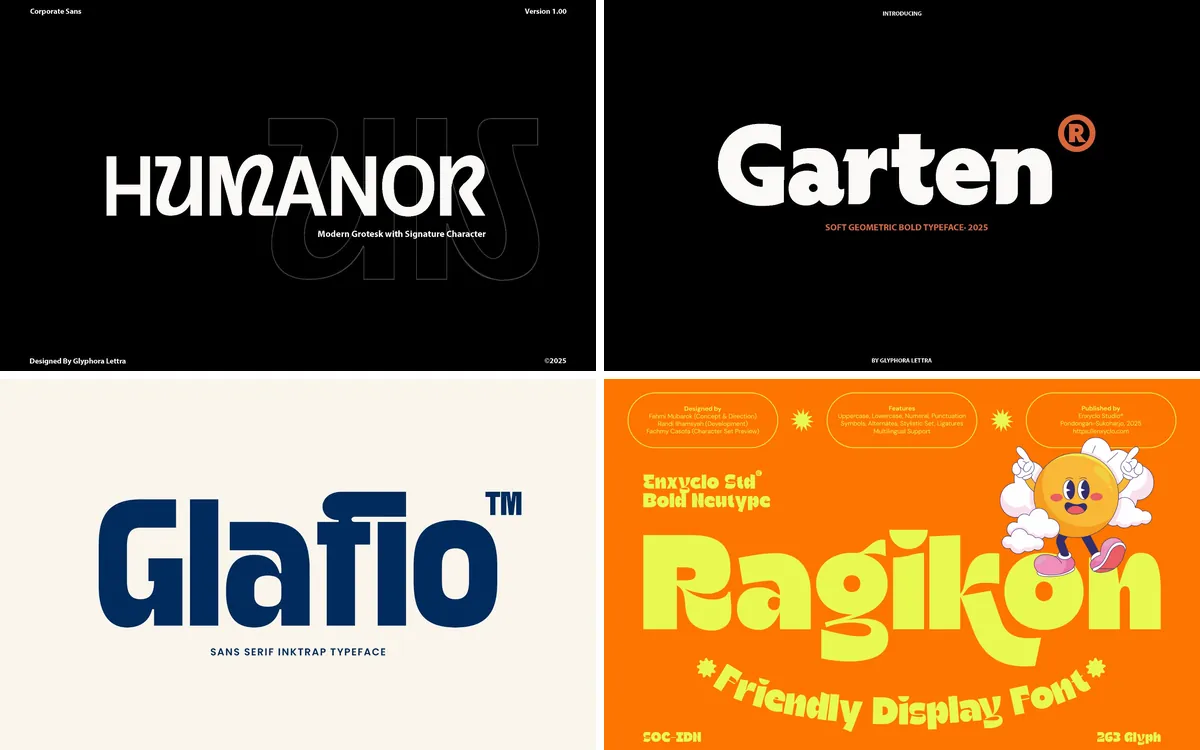
Look at the apps on your phone, the logos in your feed and the signs on the high street: most of the lettering has no serifs at all. Sans serif type has become the everyday voice of modern brands.
That popularity hides a lot of variety. This guide brings together modern sans serif fonts across the main styles, from geometric logo fonts and clean families for whole brand systems to condensed, extended and ink trap sans and bold display type for posters.
The short version
- Egiloy Font: minimal tech and service brands that want a logo with one custom detail
- Lurelo Font: app, tech and consumer brands that want a friendly, rounded wordmark
- Gaglio Font: a whole brand system: website, app, presentations and print
- Bourgueil Font: studios, editorial brands and social graphics that need emphasis without a second font
- Rangled Font: startups, agencies and service companies that need a logo and a corporate font in one
- Zentaro Font: posters, packaging and campaigns with long words and tall formats
- Whoomp Font: fashion, streetwear and music brands, magazine covers and photography watermarks
- GC Rupture Font: tech, music and culture brands that want a sharp, current look
- Rough Font: posters, sale announcements, packaging and thumbnails that must be read instantly
In this guide
- Geometric logo sans
- 1. Egiloy Font
- 2. Lurelo Font
- Clean sans for brand systems and websites
- 3. Gaglio Font
- 4. Bourgueil Font
- 5. Rangled Font
- Condensed, extended and ink trap sans
- 6. Zentaro Font
- 7. Whoomp Font
- 8. GC Rupture Font
- Bold display sans
- 9. Rough Font
- How to choose a sans serif font
- By the numbers
- FAQ
- Sources
Geometric logo sans
1. Egiloy Font
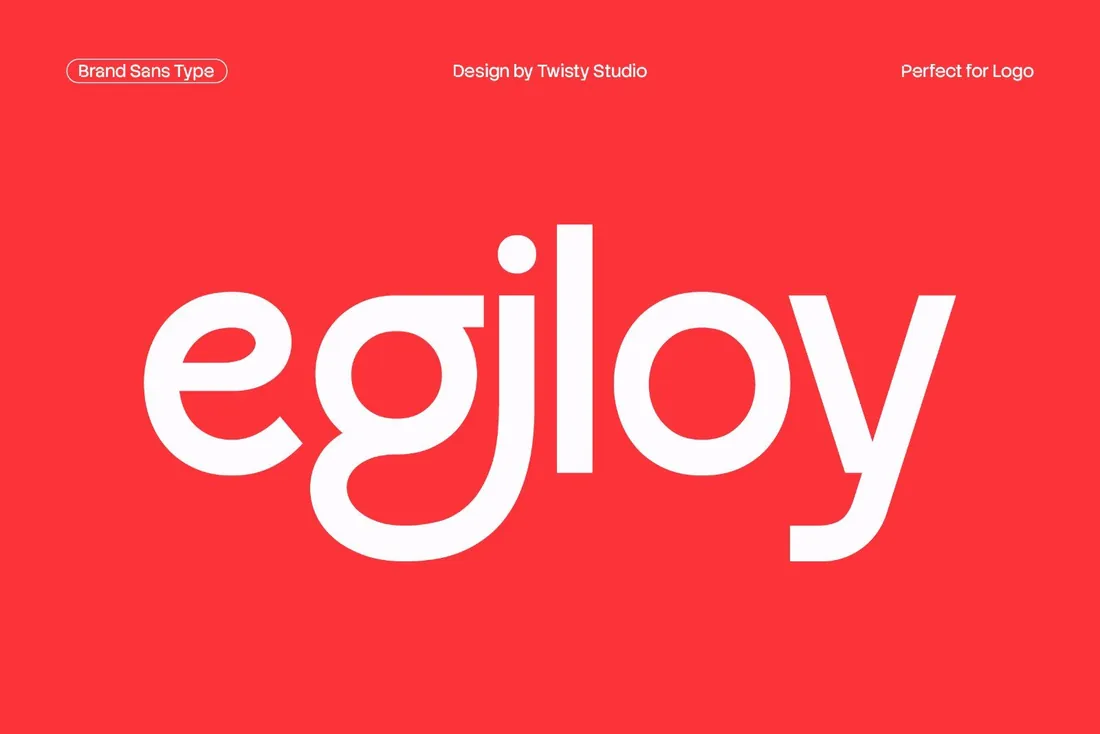
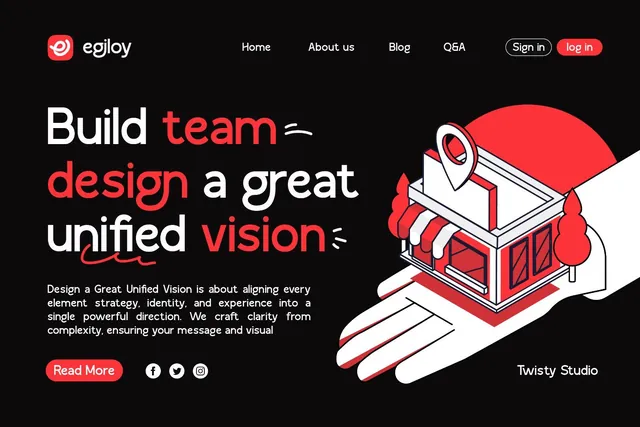
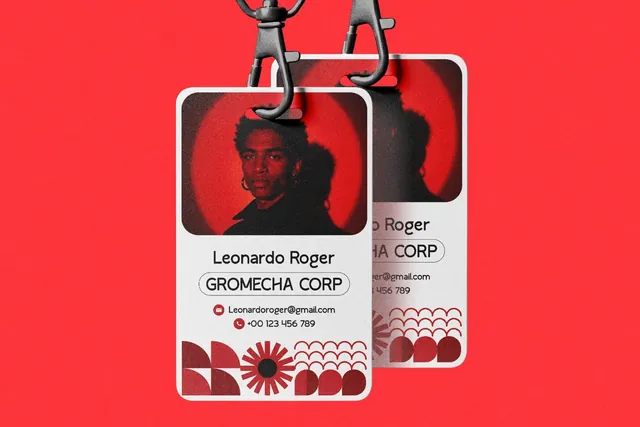
The ligatures are the hidden feature: a pair of letters can be joined into a custom-looking logo, as the designer's own samples show, while the rest of the alphabet stays clean enough for a website. It's a quick way to give a minimal brand one detail people remember.
- Best for: minimal tech and service brands that want a logo with one custom detail.
- Pair it with: Bourgueil's italic for emphasis in headlines.
- Tip: Ligatures and alternates live in the Glyphs panel of Illustrator or Photoshop, so build the logo there rather than in a web editor.
Where to download


2. Lurelo Font
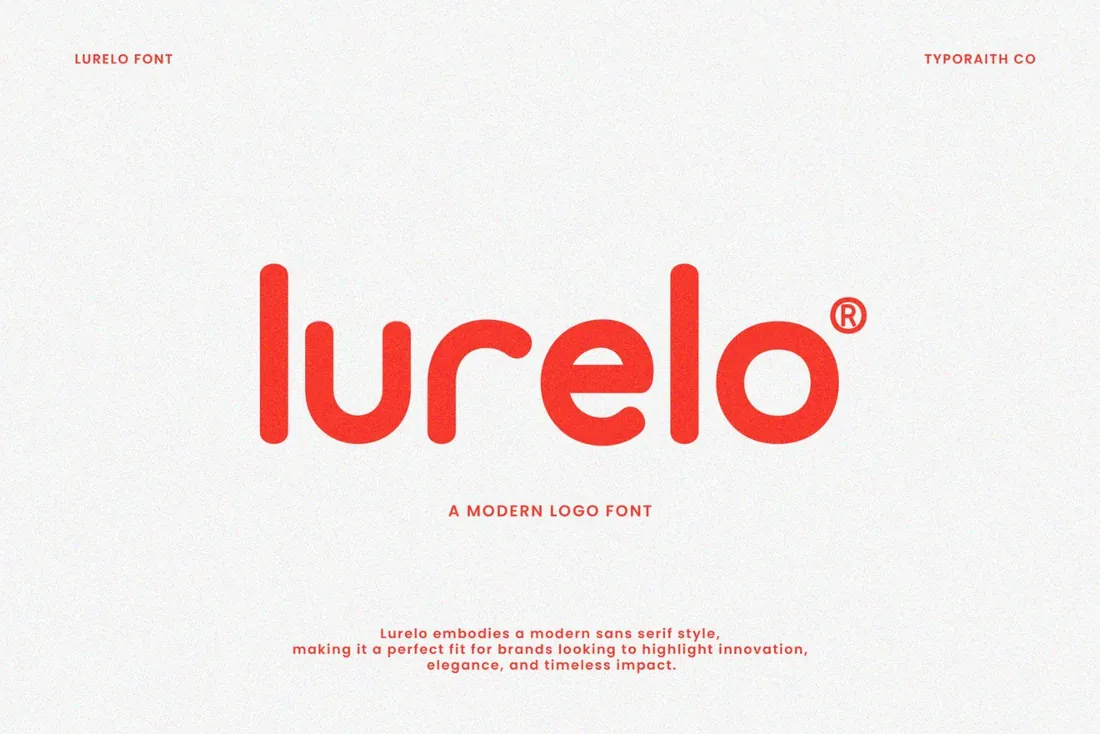
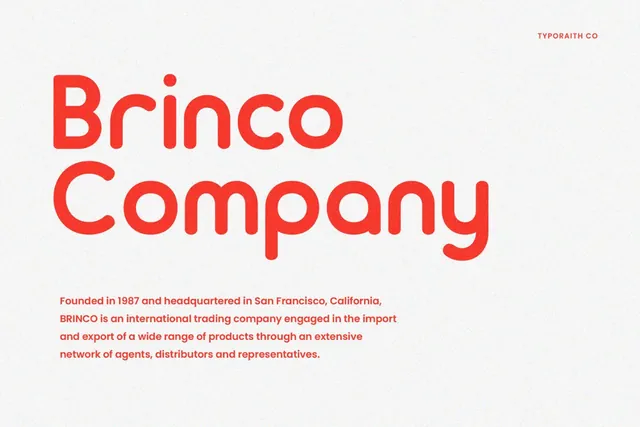
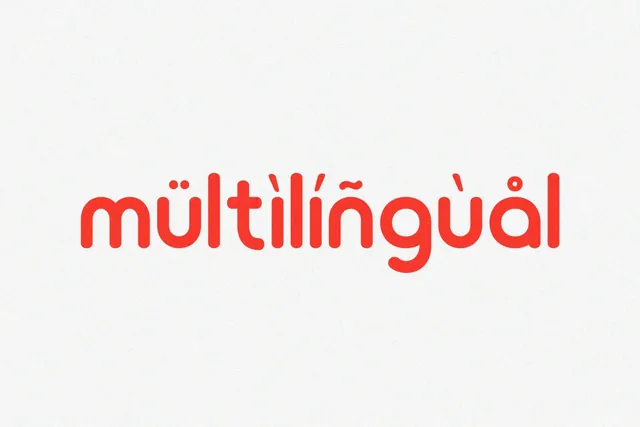
Rounded geometric wordmarks are the look of modern consumer apps and delivery services. Lurelo gets you there in one step, and it comes with webfont files, so the same letters can appear in the app header, on the website and on the delivery bag.
- Best for: app, tech and consumer brands that want a friendly, rounded wordmark.
- Pair it with: Gaglio for interface and body text.
- Tip: Rounded letters look lighter than they are; go one step bolder than you think for signage.
Where to download
Clean sans for brand systems and websites
3. Gaglio Font
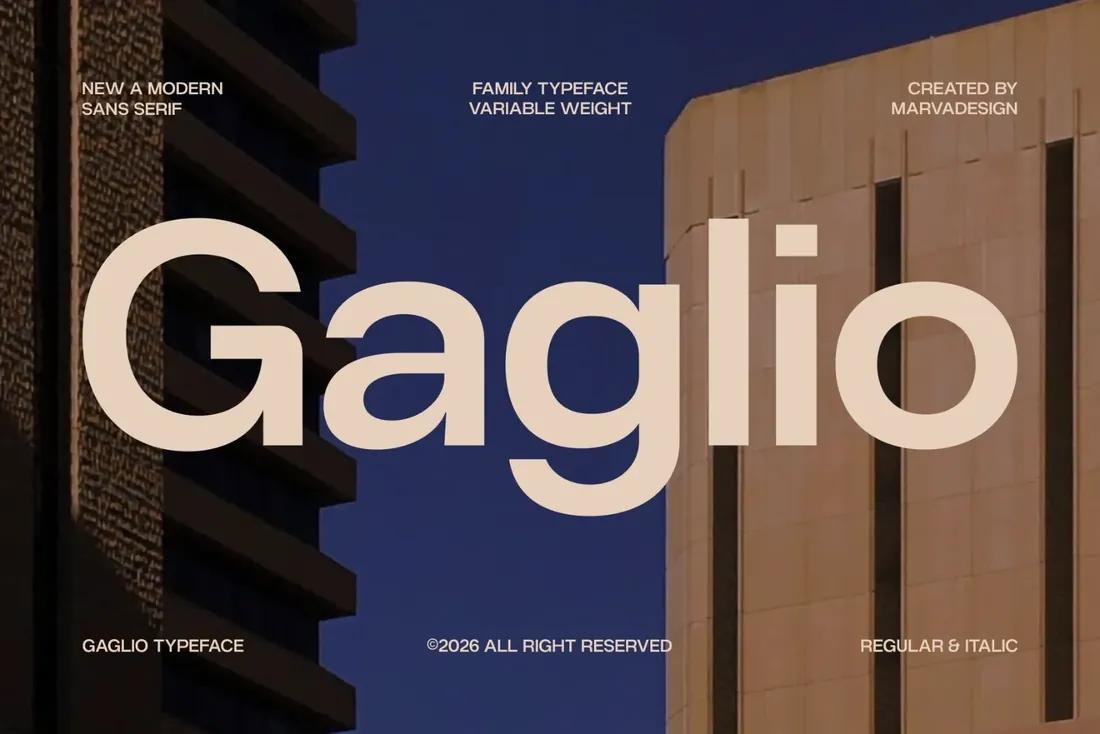
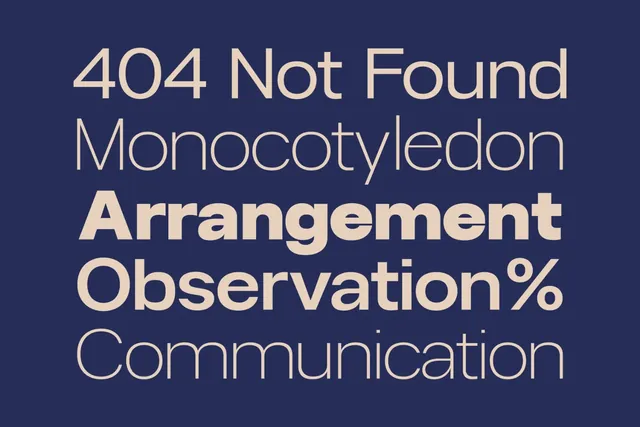
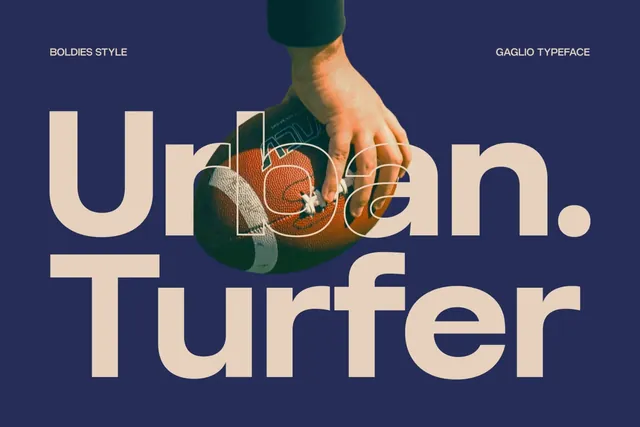
A variable font is one file instead of a dozen: the website loads faster and any weight between Thin and Black is available. Gaglio's open, humanist shapes stay readable in long text, so one family can run a brand's website, app and pitch deck without a second font.
- Best for: a whole brand system: website, app, presentations and print.
- Pair it with: Resquel for a serif headline when the brand needs a premium touch.
- Tip: Pick three weights for the system, such as Light, Regular and Bold, and write them into the brand guide.
Where to download
4. Bourgueil Font
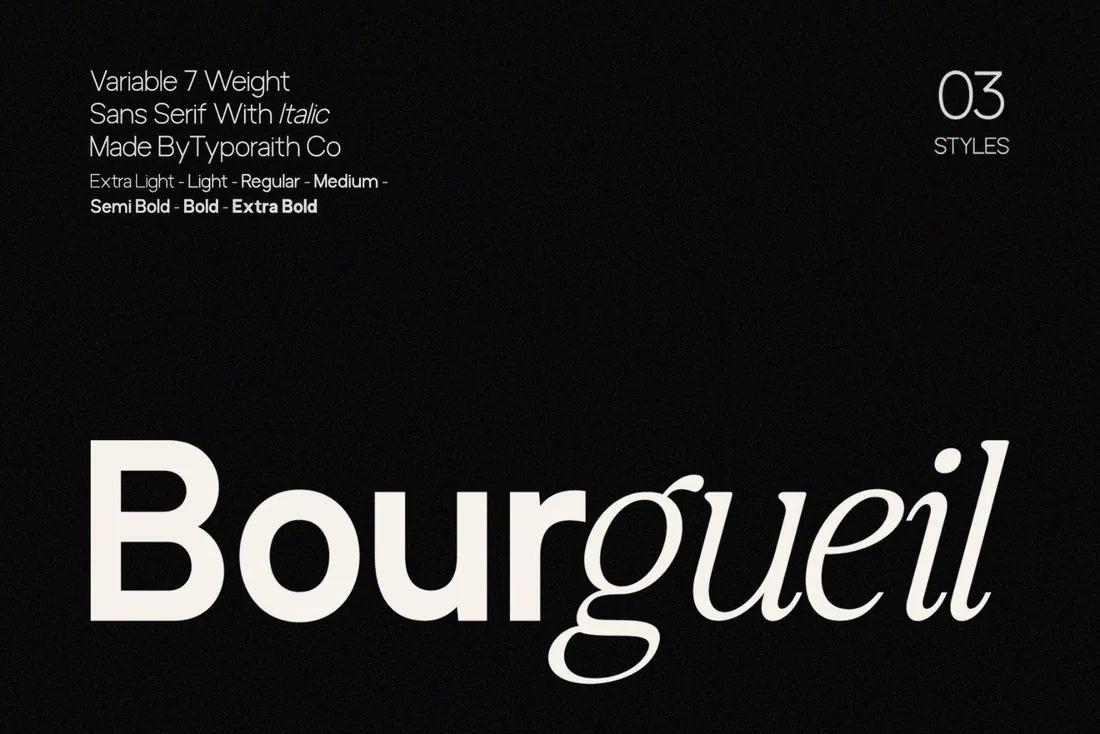
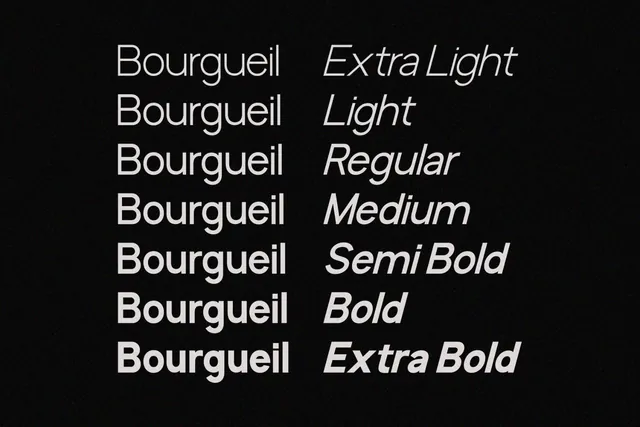
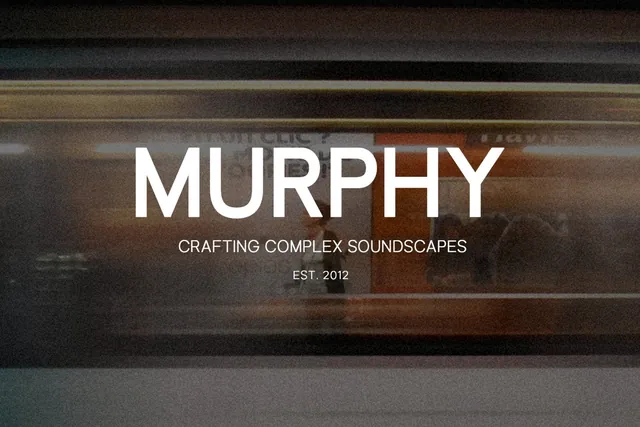
The matching italic is the trick here: it is far more expressive than the upright, so one highlighted word in a headline gets the effect of a second font while the brand still uses a single family. Seven weights in a variable file cover everything from quiet captions to bold covers.
- Best for: studios, editorial brands and social graphics that need emphasis without a second font.
- Pair it with: None needed: the italic does the pairing.
- Tip: Use the italic for one or two words per headline; whole italic sentences lose the effect.
Where to download
5. Rangled Font
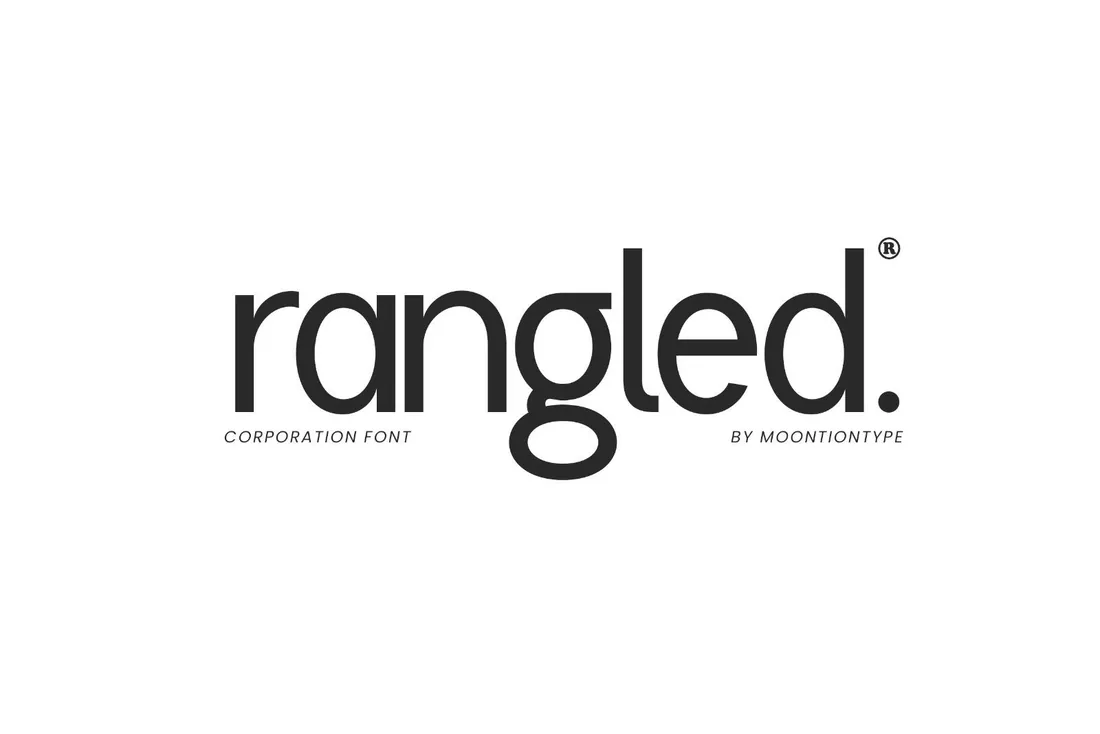
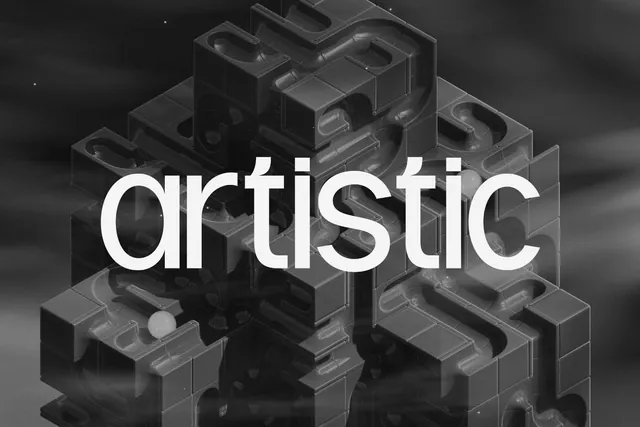

Corporate doesn't have to look like a bank form. Rangled has the calm structure a company needs on reports and signage, with enough character in the letterforms for the name itself to work as a logo, a useful shortcut for startups and agencies without a budget for a custom wordmark.
- Best for: startups, agencies and service companies that need a logo and a corporate font in one.
- Pair it with: Gaglio for long text in reports and on the website.
- Tip: Set the logo in lowercase, as in the designer's own samples; it feels friendlier than capitals.
Where to download
Condensed, extended and ink trap sans
6. Zentaro Font
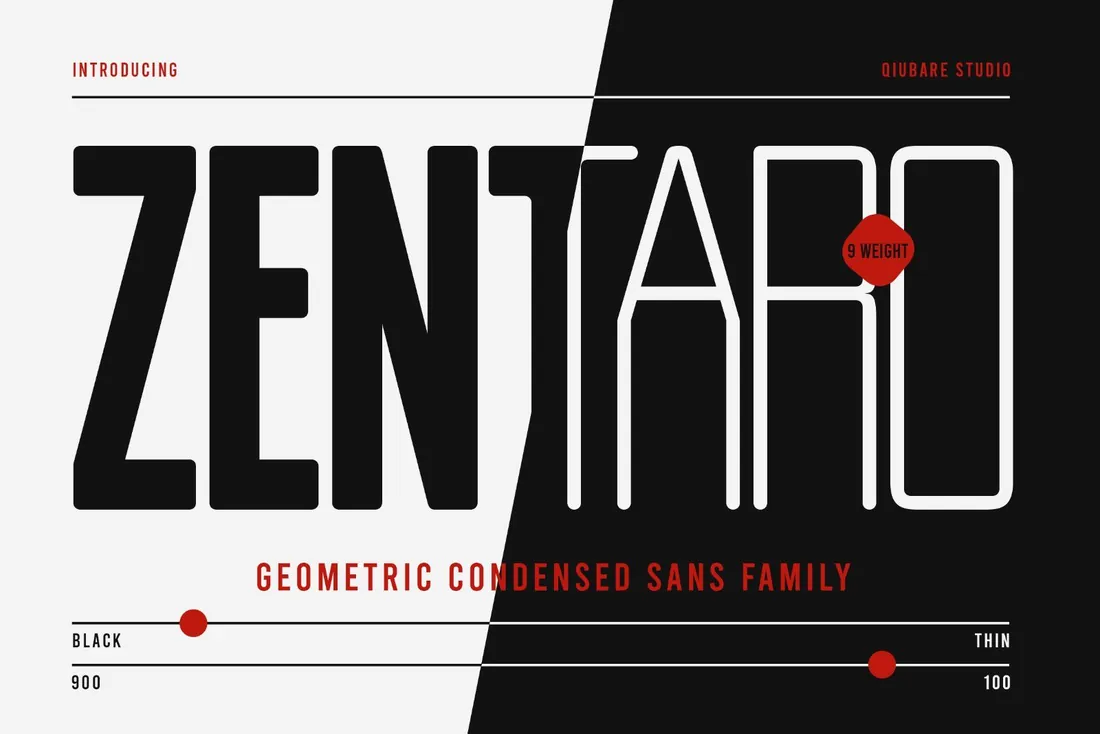
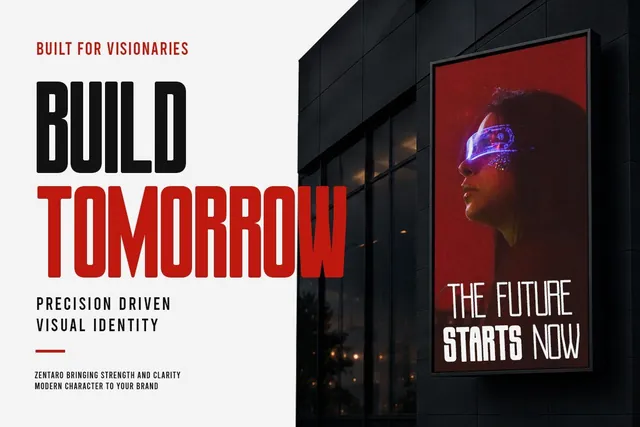
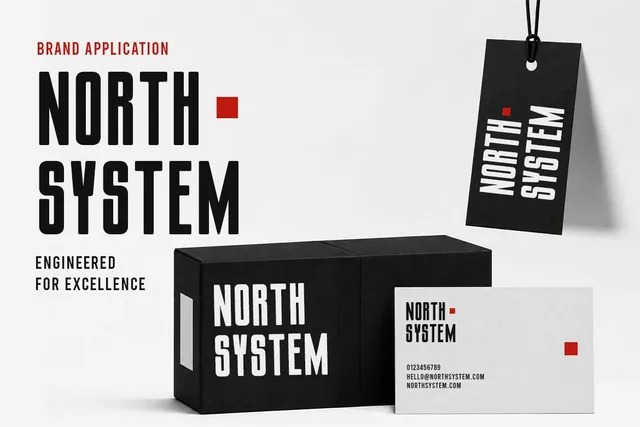
Condensed letters fit long words into narrow spaces: a vertical banner, the side of a box, a headline on a phone screen. With nine weights in one family, the same font can shout on a poster and whisper in thin captions, which keeps packaging and campaigns consistent.
- Best for: posters, packaging and campaigns with long words and tall formats.
- Pair it with: Gaglio for paragraphs; condensed text gets tiring in long reads.
- Tip: Use the thinnest weights only at large sizes; thin condensed strokes fall apart when small.
Where to download
7. Whoomp Font
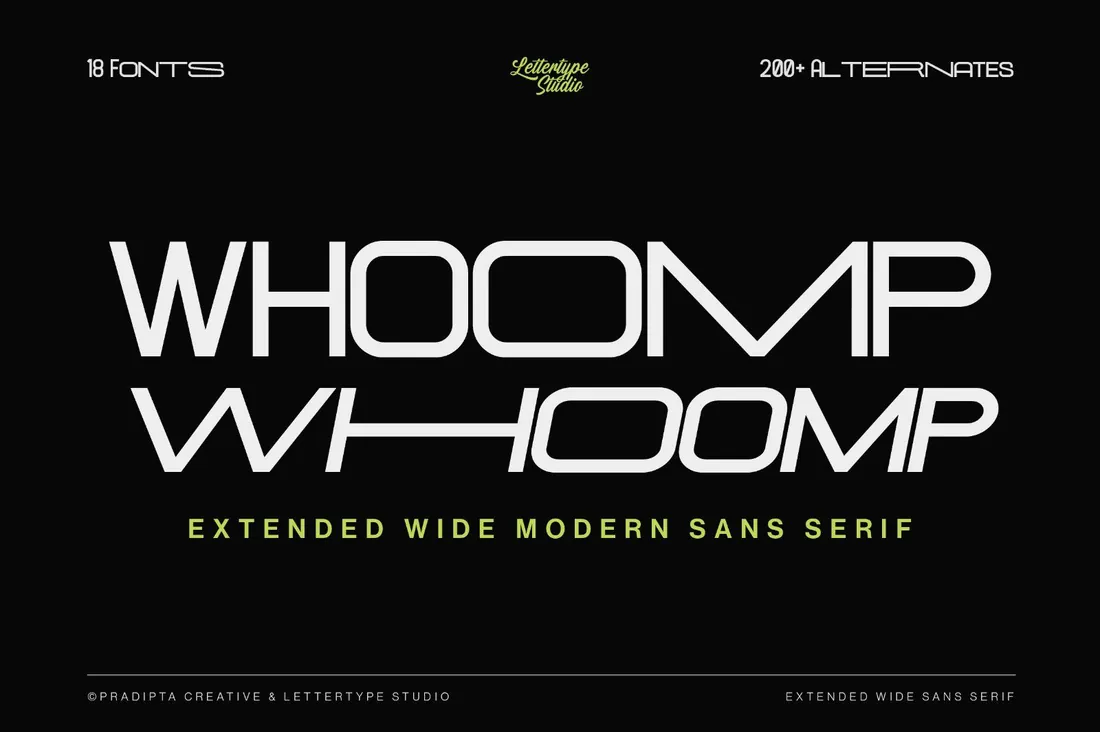
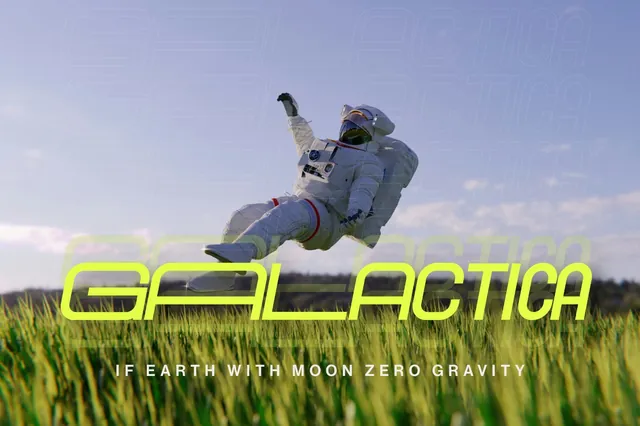
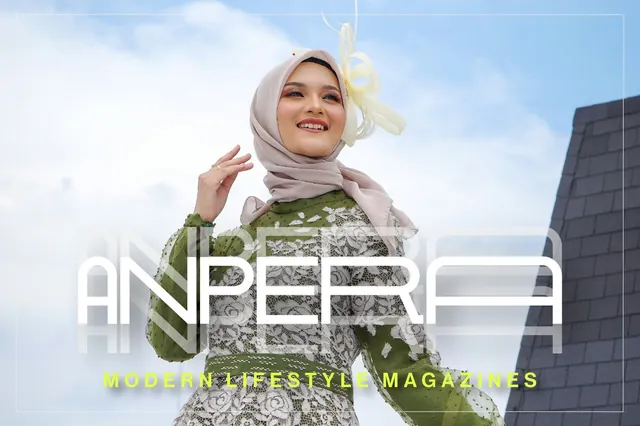
Wide letters take up space on purpose: a short word stretched across a cover looks confident and expensive, which is why extended sans type is so common in fashion and music branding. With ten styles and more than 100 alternates, one short word in Whoomp can carry a whole cover.
- Best for: fashion, streetwear and music brands, magazine covers and photography watermarks.
- Pair it with: Zentaro for contrast; wide and condensed type together make a striking poster.
- Tip: Extended fonts need short words: a five-letter name works, a long sentence will not fit.
Where to download
8. GC Rupture Font
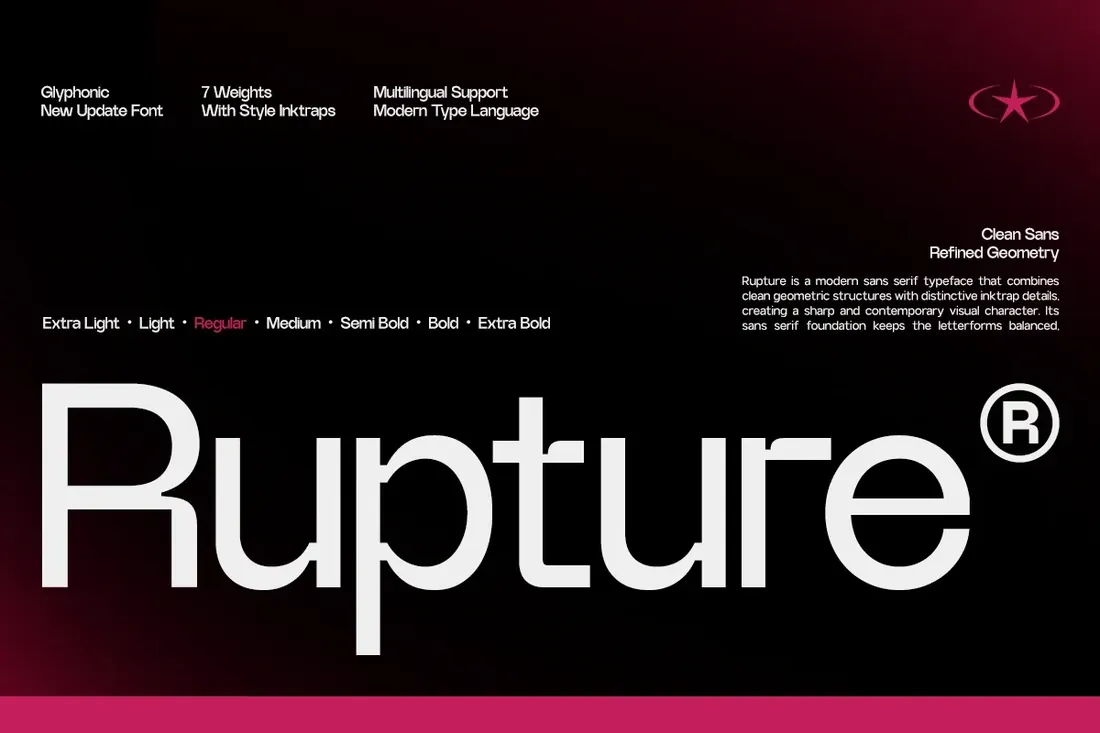
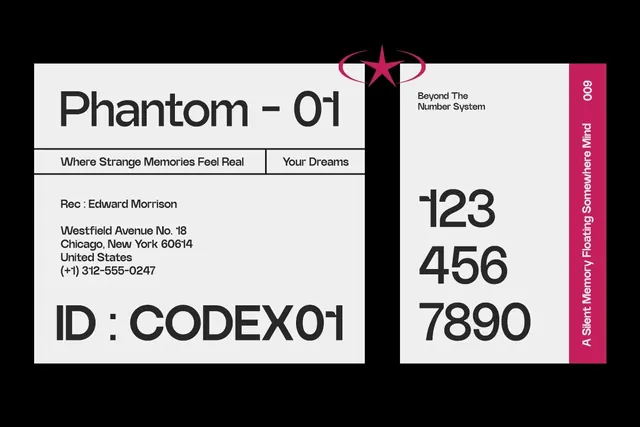
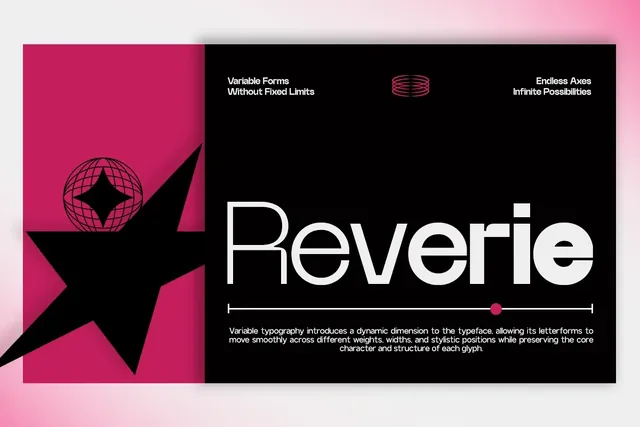
Ink traps were invented to stop ink from filling the corners of small printed letters; today they signal a tech or culture brand. GC Rupture keeps the readability of a clean sans with that sharp detail, in seven weights, so a brand can look current without resorting to a hard-to-read display font.
- Best for: tech, music and culture brands that want a sharp, current look.
- Pair it with: Gaglio for long text in apps and documents.
- Tip: The ink traps show best from Medium upwards and at headline sizes.
Where to download

Bold display sans
9. Rough Font
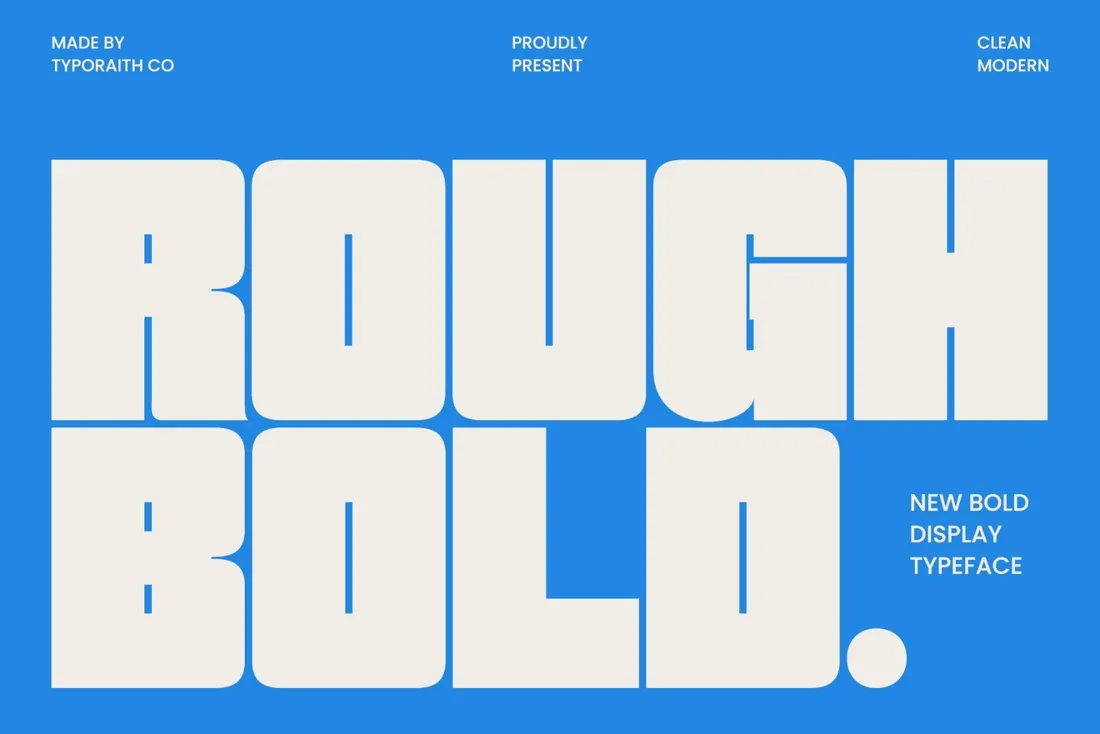
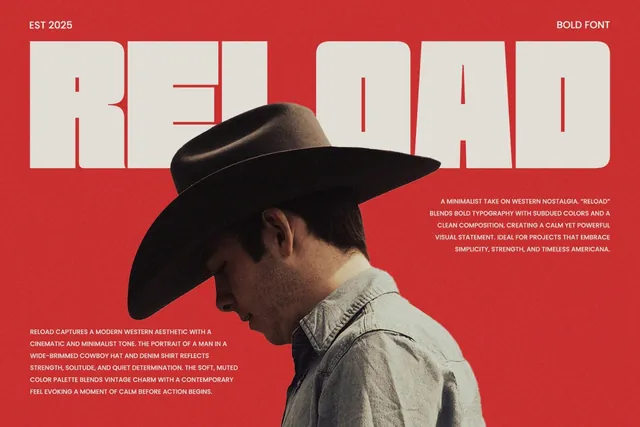
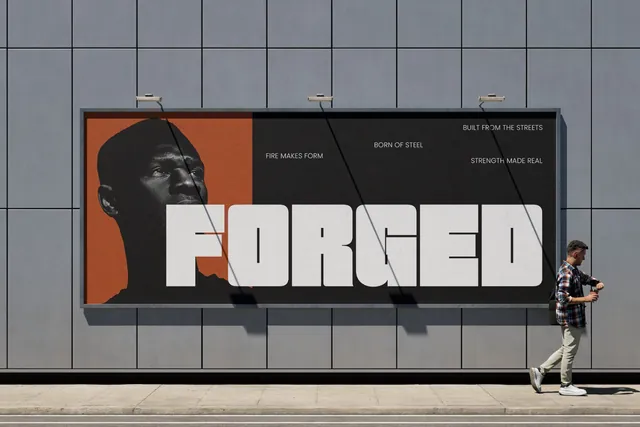
Ultra-bold type is made for the feed: a word in Rough Bold stays readable as a tiny thumbnail or across a busy photo, which is why it works for sale posters, event promos and packaging fronts. Its rounded edges keep that weight friendly rather than aggressive.
- Best for: posters, sale announcements, packaging and thumbnails that must be read instantly.
- Pair it with: Bourgueil for the details in smaller type.
- Tip: It's uppercase only, so keep headlines short and let a lighter sans carry the rest.
Where to download
How to choose a sans serif font
- Decide on the job first: a text font for websites and documents, or a display font for a logo or poster. Few sans serifs do both equally well.
- For websites and apps, choose a family with several weights or a variable version, so headings, buttons and text come from one family.
- Compare the letters that differ most between sans serifs: a, g, R and the number 1. They decide whether a font feels friendly, technical or neutral.
- Test a logo at small sizes; in geometric fonts, letters like a, o and e can start to look alike.
- For contrast, pair a sans with a serif or a script, or use the weights and italics of one family for a cleaner, more modern look.
By the numbers
- 88%of websites used web fonts in 2025, up from about 87% in 2024HTTP Archive Web Almanac 2025: Fonts
- ~10%of web pages declare Roboto, the most used text font on the web; Poppins, Open Sans, Montserrat and Inter follow, and all five are sans serifsHTTP Archive Web Almanac 2025: Fonts
- 41%of mobile websites use at least one variable font (39% on desktop), the format that puts every weight of a family in one fileHTTP Archive Web Almanac 2025: Fonts
Frequently asked questions
What is a sans serif font?
A typeface without serifs, the small strokes at the ends of letters. Sans serifs look clean and modern, and they are the most common choice for websites, apps and logos.
What is the most popular sans serif font?
On the web it's Roboto, declared on about 10% of pages according to the HTTP Archive Web Almanac 2025, followed by Poppins, Open Sans, Montserrat and Inter. A less common sans gives a brand more character.
Serif or sans serif for a logo?
Sans serif logos feel modern and stay clear on screens; serifs feel classic and premium. Many brands combine both, for example a sans logo with serif headlines. See our luxury fonts guide for serif ideas.
Can I use these sans serif fonts in Canva?
Yes. Canva lets you upload OTF and TTF files on its paid plans. Our Canva fonts guide covers fonts that work especially well for social posts.
What are the best sans serif fonts for a brand?
It depends on the job: a variable family like Gaglio or Bourgueil for a whole brand system, a geometric font like Egiloy or Lurelo for a logo, and a condensed or wide font like Zentaro or Whoomp for posters.
What is a good sans serif font pairing?
Pair a sans serif with a high-contrast serif for headlines, or use one sans family in two weights. For an elegant sans serif look, use Bourgueil's italic for emphasis or the thin weights of Gaglio with generous spacing.
Final thoughts
Start with the job: a clean family for the whole system, a geometric font for the logo, or a condensed or wide style for posters. Then test it small, on a phone and on a sign, and the right sans will be obvious.
Sources
Last checked October 31, 2026.
This guide contains affiliate links. If you buy through them, mockupex may earn a commission at no extra cost to you. Learn more